
How to Survive the AI Backlash
As a Photographer
Don’t Let Fear of AI Keep You From the Benefits It Offers Your Photography Studio
Every new technology is greeted by skepticism and fear. Eventually most people move beyond early hesitation and embrace the benefits.
Most photographers across the range of specialties are already using the new technology. Some continue to resist the inevitable. I started using AI in my studio and businesses about two years ago. I was hesitant at first, but soon came to see the benefits it offered me.
I took a few workshops with Deanne Delbridge, famed marketing consultant to some of the best photographers. She talked about how when digital imaging came in, many shooters wouldn’t adapt to it and fell by the wayside. The same thing happened with the internet and with other new technologies before and after.
I wasn’t around for it, but I would be willing to bet that when film started to replace hand-coated glass and metal plates, many shooters hated it. Human nature resists change.
And we all know photographers who are preternaturally attached to their gear. I guess they’re afraid AI is coming to take it away and invalidate their skills.
Why Are Early Adopters Attracted to AI?
So what made some of us embrace the new tools? The chance to do better work, to save time, and to make more money.
The next time you have to do another time-consuming repetitive task, think about using AI. The next time you need to do something that you don’t like doing, think about using AI. The next time you’re trying to create images in some new and exciting ways that rise above what you’ve been doing for years, think about using AI.
You Don’t Have to Like AI-Generated Photography
AI photography is not above criticism. Art criticism is a communal obligation. But making the criticism about an image’s AI origins is wrong-headed. It’s like criticizing a painter because you don’t like the brand of paint brushes she buys.
As for making a broader philosophical argument that AI art-making is inherently flawed, the critics I see are not up to the heavy lift that would be required. Leave it to philosophers.
If you don’t like most of what you see and think it’s ‘slop,’ I agree with you. But that’s also true about most non-AI photography as well. Right? Much of it is generic snapshots. Some are made with technical excellence, but without any soul.
In my career I’ve been hired occasionally to shoot images for journalism and for evidentiary purposes. In these areas, AI has no place when it comes to image creation. Similar ethics apply in other areas also.
But almost all the images I’ve shot in my career have been about producing something interesting and beautiful or to convey a message to a certain audience, such as for use in advertising. AI is fine in those endeavors. Use it like any other tool and don’t give it a second thought.
But here’s the secret. You don’t have to use AI for image generation to use AI in your studio. There are many other ways to use it to assist you with image making and in running your business more efficiently.
You can work on an AI-generated image in Photoshop to customize it, like you do with your camera images. Sometimes it’s easier and better to fix elements of the AI output in Photoshop rather than re-running them or re-prompting them in AI.
When it comes to image generation, most of the AI images I make are hybrids. Some elements of the images are AI-generated, some come from the camera, some might come from stock. And I use Photoshop for compositing and enhancing.
Before I became a photographer in 1987, I was running an ad agency. When I needed photographic images and videos for our work, I would consider the quality and cost from various providers. I’m doing the same thing today and including AI tools in the mix.
Others Are Reaping Benefits–Don’t Get Left Behind.
The rewards come across a wide spectrum and depend on your preferences and on your studio’s needs.
Some things you do currently will be improved. Other things will be eliminated.
I remember when every studio shooter used Polaroid as a necessary part of each shoot. But when digital cameras arrived, Polaroid use died a sudden death. And I never heard any photographer complain about saving the time and money it used to cost us.
I used to rent canvas backgrounds or commission them from local artists. Not anymore.
AI can generate backgrounds to satisfy the most demanding creator. And with separating a subject from a studio background becoming so easy, changing image backgrounds is no problem.
Does anyone remember using channels to create separation masks? How about having 9’ and 4’rolls of seamless in 15-20 different colors? The right changes can be exciting and save us many hours a week.
On the business side there are more opportunities.
Here are some:
• Finding prospects to contact for cold outreach by phone or email
• Writing telephone pitches or pitch letters that get your message across to new prospects
• Finding “pain points” to help your promotions stand out
• Coordinating or writing (with caution) social media posts
• Finding profitable niches to target in your area
• Help with writing press releases for publicity
• Creating and/or managing websites.
There’s Already Widespread Adoption in Most Areas of Photography
About 83% of photographers use some AI tools in their workflow, according to a recent VSCO survey.
Regular users of AI are about 32%. They use it in their workflow, mostly in post-production, and in the business of running their studios.
With AI tools comes a major savings in time each week. When I was shooting 6-7 days a week, there was never enough time. And my personal life was always compromised. AI would have been a big relief.
How AI Can Help Your Studio. First Steps.
When adopting any new technology, a common mistake is to jump in too deeply before you’re ready. That’s why so many early enthusiasts fail.
Look at one area of your work that is bothersome or inefficient, and see how AI tools can help you with that problem.
Then when things are moving smoothly, expand into other areas. I’m using AI with generating affordable images for my written articles where there is no budget for a shoot. I’m also using it for backgrounds to composite with my camera images in Photoshop.
There are countless ways it would improve my marketiing, but I haven’t used them very often yet. But on those occasions when I did, I was completely satisfied with the results I received.
And if you have a lot of ideas in your creative work or business management, AI is there to help. Use it to organize them and sort them out. Use it to generate new and related ideas.
To do this well, you’ll need to become familiar with the AI models you are using. And a big part of that is prompting the model and providing needed context.
There is plenty of guidance for each of these steps available for free online.
Doing It the Right Way
There are things expert users of AI have learned that are not widely known to people in most businesses. Here are some of them:
• Lousy prompts usually lead to lousy results. Vague prompts could lead to anything.
• Context is the critical part of prompting many users neglect almost entirely. If you want the AI output to be relevant and accurate, provide sufficient background info.
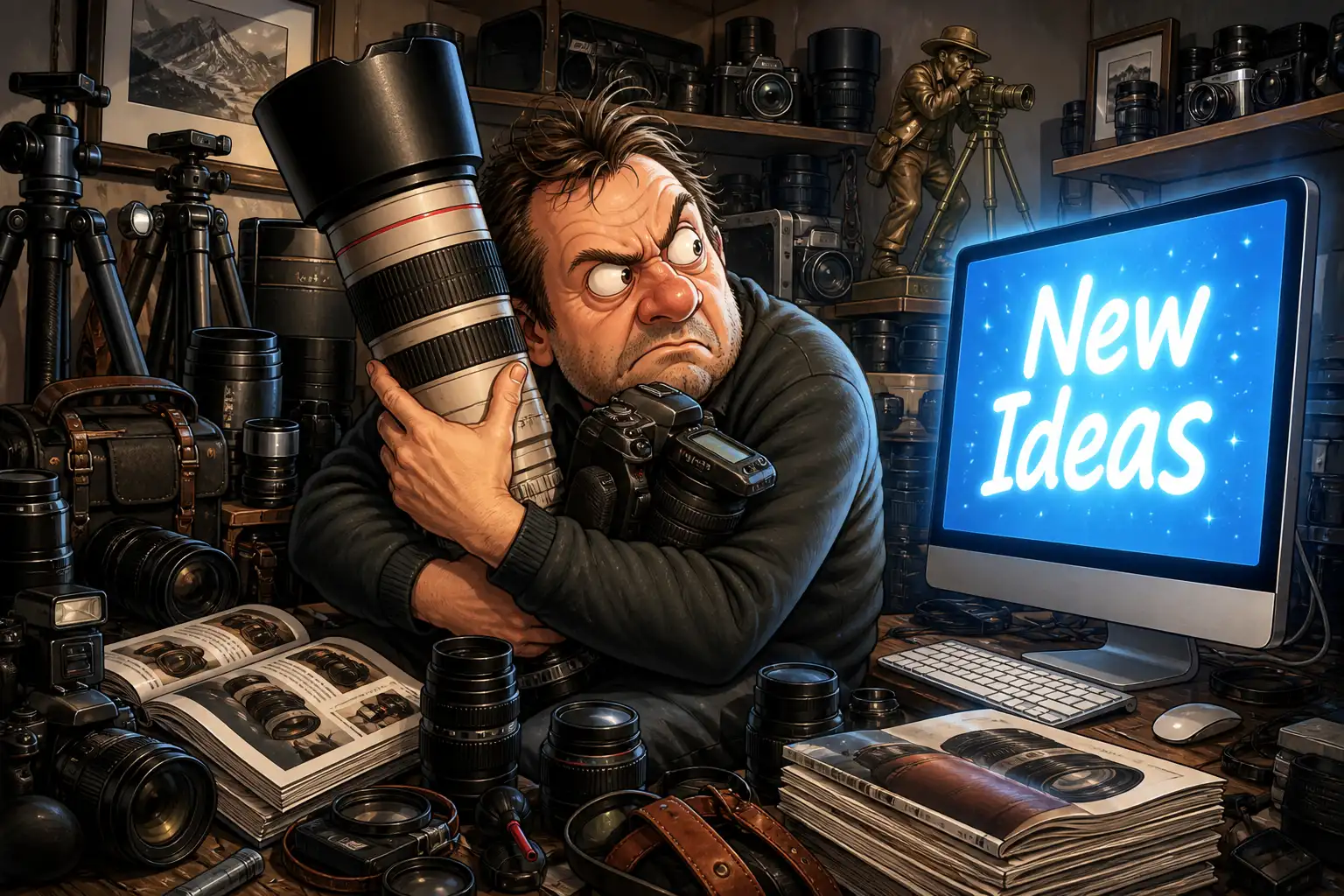
Here’s the prompt for this article’s featured image: A cartoon-style image of a middle-aged male photographer clutching a giant camera and lens like a sacred object, glaring at a glowing AI screen that says “New Ideas.” Around him are piles of lenses, tripods, camera bodies, and gear catalogs.
Aspect ratio 3:2
• Different tools work in different ways. Do a little research to find out which tool works best for a certain type of problem and which ways are the best ways for the tools you are using.
• Iteration is often necessary. Consider the first result as a first draft that will usually need to be refined.
• There is so much information out there. Just look for it and use it.
• Improvements are coming quickly. You might have to use a workaround until the tool you use is improved. Just like you do in Photoshop.
• Don’t get married to a particular tool. The up-grades are coming so fast, you have to keep up to get optimal results. For making AI images, Midjourney was my choice 90% of the time. Now, in the last two weeks, ChatGPT Images 2.0 is the clear winner.
• Resist trends that AI is pushing. E.g. Must every man have a beard? AI learns from humans, good and bad, and then sometimes uses what it learns in tasteless excess.
I’ve been using em-dashes for most of my life. Now AI is using them to death in its writing. I estimate this will be completely fixed in 6 months. There are already prompts to avoid them.
Avoid verbal AI tics like “deep dive” and “it’s not this, it’s that.” Most people are already annoyed by them. Edit them out or fix them in prompting.
• Some problems can be fixed in prompting, but sometimes they can’t. Then you’ll have to start over.
Final Warning for the Savvy Photographer
Things are different now, and they’re going to get more different. But the basics stay the same.
It’s all about making great images. If you fail to exercise taste, judgment, and visual appeal, your images will be mediocre at best.
Now in the age of AI, that is more true than ever. So as you work to improve your AI skills, don’t neglect your image-making skills.
John Manning