Modern Photographers:
How to Make AI Your
Creative Partner
14 Concrete Uses of AI
for the
Working Photographer
John Manning
“Photography will get better when more photographers focus on
the images they make rather than on the tools they use.”
John Manning
Modern Photographers: How to Make AI
Your Creative Partner
14 Concrete Uses of AI for the Working Photographer
How You Use It Will Be Your Creative Choice
Even among professional photographers, most of us never get a creative assistant.
In 39 years, I’ve had several full-time assistants and even more part-time assistants. Sometimes one would give me an idea that sparked or advanced the creative process. But that was rare. And it was my fault.
I kept them too busy to help. They organized the studio, prepared sets for shoots, did darkroom work, picked up supplies, etc. They never had the chance to sit down and work with me while I was planning or creating images.
Now all that changes. Even if you’re a total beginner in the field, or an amateur making images for fun, you now have access to a powerful, affordable creative assistant, even a creative partner. You have to learn how to let AI fill that role. Learning how to actually use the AI is not that challenging.
There are many image makers now using AI to create some of their images. But few use AI to partner with them when they’re working as a creative image maker.
AI Comes to the Rescue
You hear some photographers say they’ll never use AI for any part of their work. They want to stick to the old ways.
Let them. That’s the way it is with all new technologies. Some people resist all change and stick to their comfort zones.
But if you are want to use AI tools to take your image-making to a new level of creativity, this article will be a guide to improve your work and workflow.
Key Point: It’s not about what the AI can do, but about what you can do with the AI. Each one of us will choose the mix that best fits our work. Each one of us will choose our own tools and techniques. Each one of us will establish our own creative direction. AI will not be taking our jobs as image makers.
Using AI as a partner might seem scary, until you get more familiar with the landscape. Once you do, you’ll find it exciting and liberating.
How to Get Started with AI in Photography
To avoid being overwhelmed or confused, it’s better to start with a single use and a single tool. As you gain familiarity, you can move on to the next type of task or technique.
For example, some shooters start by using AI tools to do the culling and editing of their images after a shoot. I haven’t done this much yet in my work, but will be doing it more in the future as the tools get better.
Being somewhat of a control freak, I’m very fussy with most of my editing. I have over 30 years of experience with the “old methods,” where I have almost total control. So I still rely on those techniques.
But I was eager to use AI to assist with my photo compositing. That means finding backgrounds and adding them to my images. Sometimes I also add or change elements of the image.
For the first 15 years of my work, I struggled to find interesting backgrounds. In the studio, I had many 4’ and 9’ rolls of seamless background paper. Usually I would use white, gray, or black. Sometimes I would use the right accent color.
It was expensive and time-consuming.
Other times I would shoot on location, trying to find the right spot, conditions, and light. Precarious at best, especially with Chicago weather.
Then technology made it easier to separate the subject from the original background. I started using stock images that came from previous shoots or stock photo sites to serve as backgrounds for my finished images.
On each of my trips to Europe, I spent a big part of my free time shooting backgrounds for my fashion shoots in Chicago.
Now I use AI to generate many of the backgrounds I use. I use tools like Midjourney and ChatGPT Images 2.0. The possibilities are endless. And I get just what I need.
Key Point: Use AI at the idea stage to expand your thinking. Reserve taste, judgment, and photographic skills for your input as the photographer. The use of AI should enhance your work by making you more inventive. Don’t diminish your role by over-relying on AI.
How AI Can Make You More Creative
Let’s walk through the creative process and consider how AI could help with each step.
Most of my photographic work has been in the specialties of fashion and beauty, so this colors my thought. Some of the following steps might not make sense in your areas of photography, but others will be useful in all areas.
Opportunities for collaboration come up before the shoot during the planning stage and after the shoot in the editing stage.
Before the Shoot
Concept Development
Use AI to develop stronger concepts for your images. Let it help you avoid obvious, generic interpretations.
Use it to help generate unusual visual approaches, themes, metaphors, and narrative approaches to explore before and during the shoot.
This makes it easier to move past your first and most obvious ideas. When you do the same shot hundreds or even thousands of times for various clients, it’s all too easy to reach into the bag of tricks you have perfected, to the detriment of freshness and novelty. Let AI help you push beyond the predictable formulas.
Pre-visualizing the Image
This used to be much harder. Some photographers sketch their plans. I can’t sketch, so I would have to write a brief description of what I had in mind.
On the day of the shoot, I didn’t always understand what I had in mind while making the notes. Sometimes I couldn’t even read my own handwriting.
Then we would do Polaroids at the beginning of the shoot. This would help catch things that didn’t mesh with our pre-visualized ideas. We would check hair and make-up, wardrobe styling, and lighting. I found that process painful! And expensive.
Now you can take your ideas and prompt the AI to generate the images you pre-visualized. It’s getting easier as the tools improve to get them to give you what you need. You can create rough previews of the images you will be shooting, before the production phase even begins. That makes it easier to test compositions, backgrounds, lighting, poses, set design, and styling ideas.
This puts you in a position to evaluate your ideas before the shoot. So there’s time to make changes in your ideas and in how you will execute them. At the shoot, you can show them to models, hair & make-up people, and assistants.
Key Point: By generating ideas at an earlier stage, before the pressure begins, you’ll get more ideas to work with. And your final ideas will be better than what you started with.
As you review poses, color palettes, lighting, styling, etc., you might decide to generate new, alternate images to replace or augment what you have. Being creative means developing and refining ideas, not sticking with the first ones that pop into your head.
Mood Boards and Visual Exploration
Use image-generation tools to quickly explore different moods, color palettes, lighting styles, wardrobe ideas, locations, and art-direction. Producing a set of pre-shoot mock-ups will make your creative expression more robust. And it saves time and money.
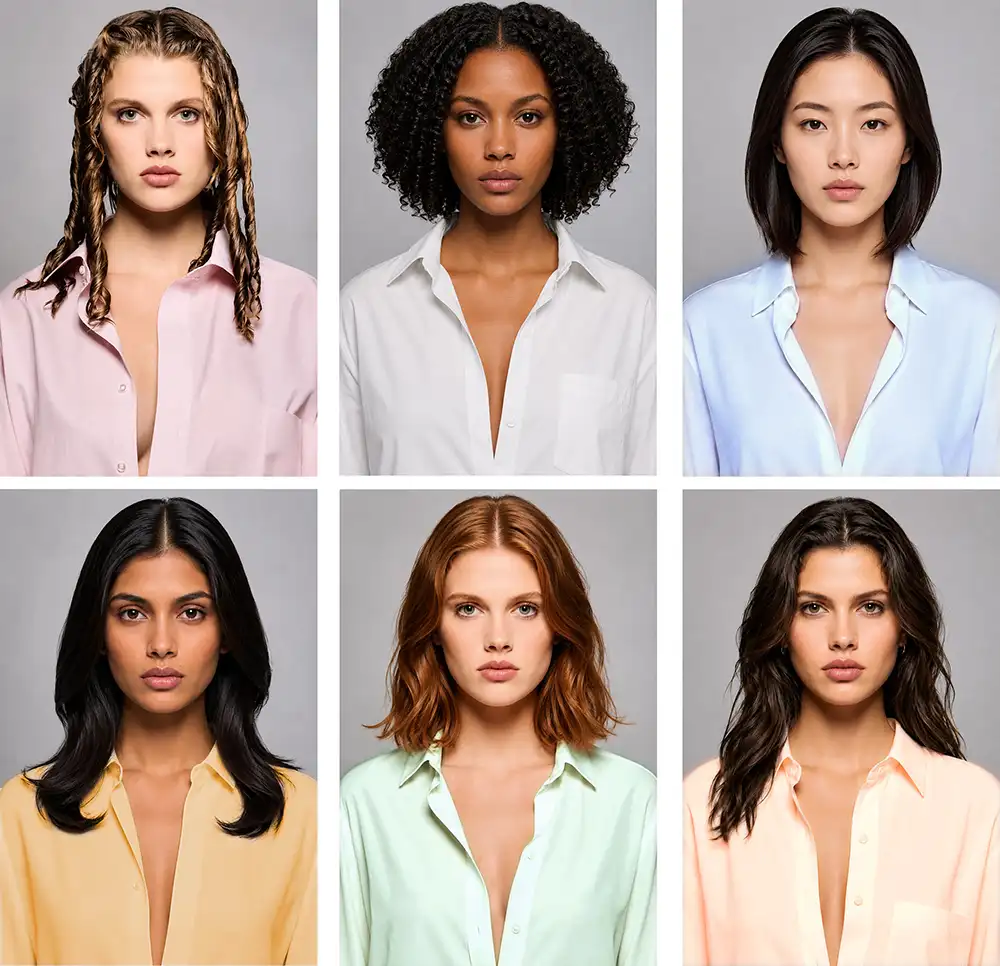
Refining the Visualization
Let your AI buddy work with you to develop your ideas. This process gives you the opportunity to develop and redevelop ideas for the shoot. Doing as much as possible before the shoot saves precious time during the shoot.
Styles of Art Direction
Before becoming a photographer, I ran an advertising agency. When we worked on print ads or TV commercials, one of us would art direct the shoot. None of us would leave the photographer or videographer to do it alone. We had a range of styles to choose from, and we would try those approaches that best fit the particular project.
The look we considered might be cinematic, bold, luxurious, high-energy, corporate, etc. We would decide on the exact look before starting production.
If the shoot doesn’t go smoothly and quickly, many clients will resent the extra money they have to pay for models and make-up people. Some of those clients might not come back with another assignment.
What if the idea in your head doesn’t look very good on the screen? Finding out in advance would be a good idea, so there’s time to fix or replace it.
When you’re done, you can put your pre-visualized images on your phone. You can refer to them during the shoot and show them to assistants and support people so they all know what you’re looking for.
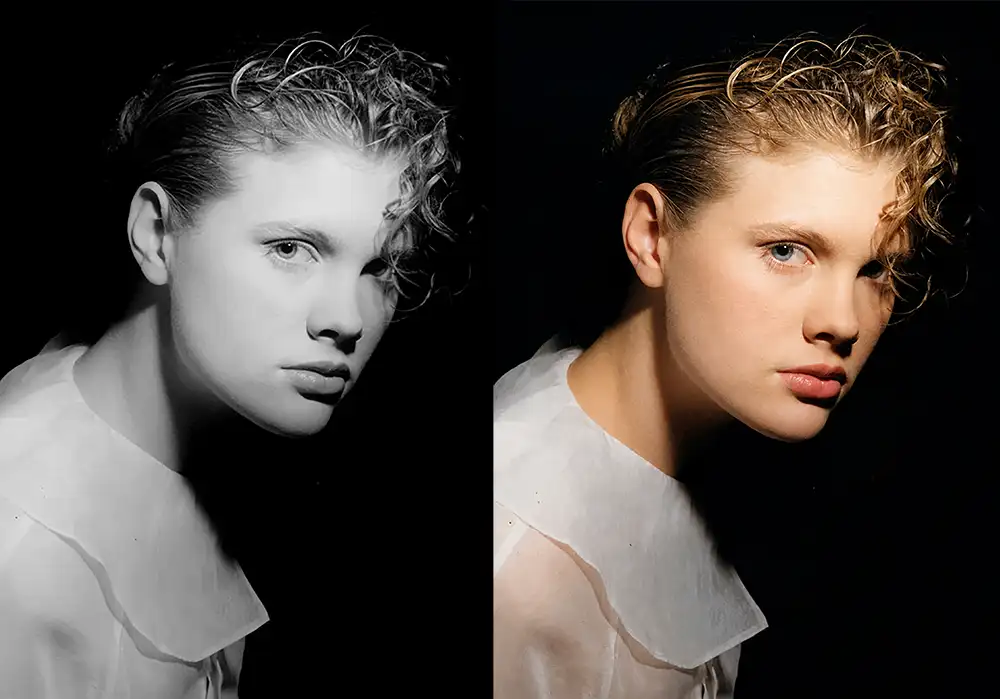
Creative Problem-Solving
If the concept seems incomplete, let AI suggest different shooting styles. You can consider different angles, other props, alternate environments, symbolic elements, or storytelling approaches that might not have occurred to you during planning.
Ask it to help you develop new themes, emotional tones, visual metaphors, or clearer points of view. The concepts you develop will be stronger.
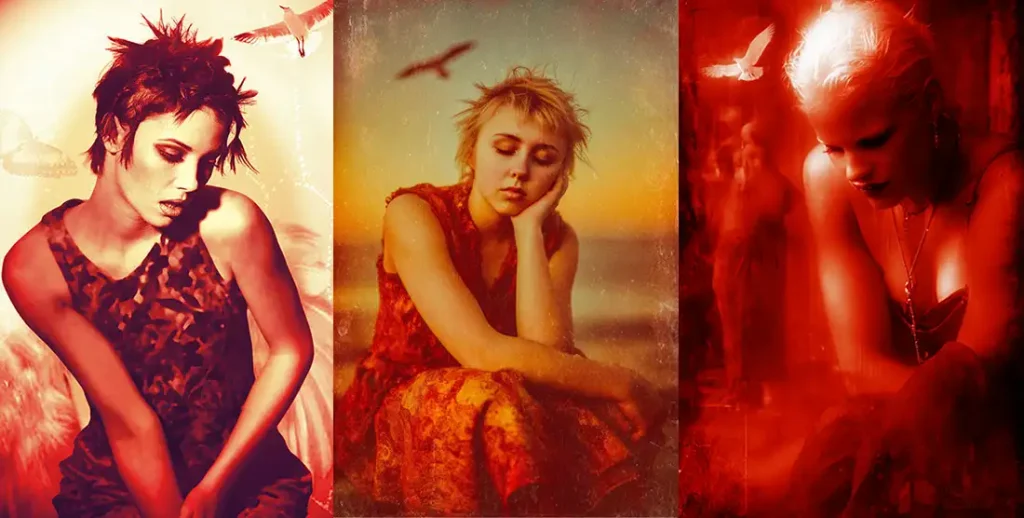
Variations on a Single Concept
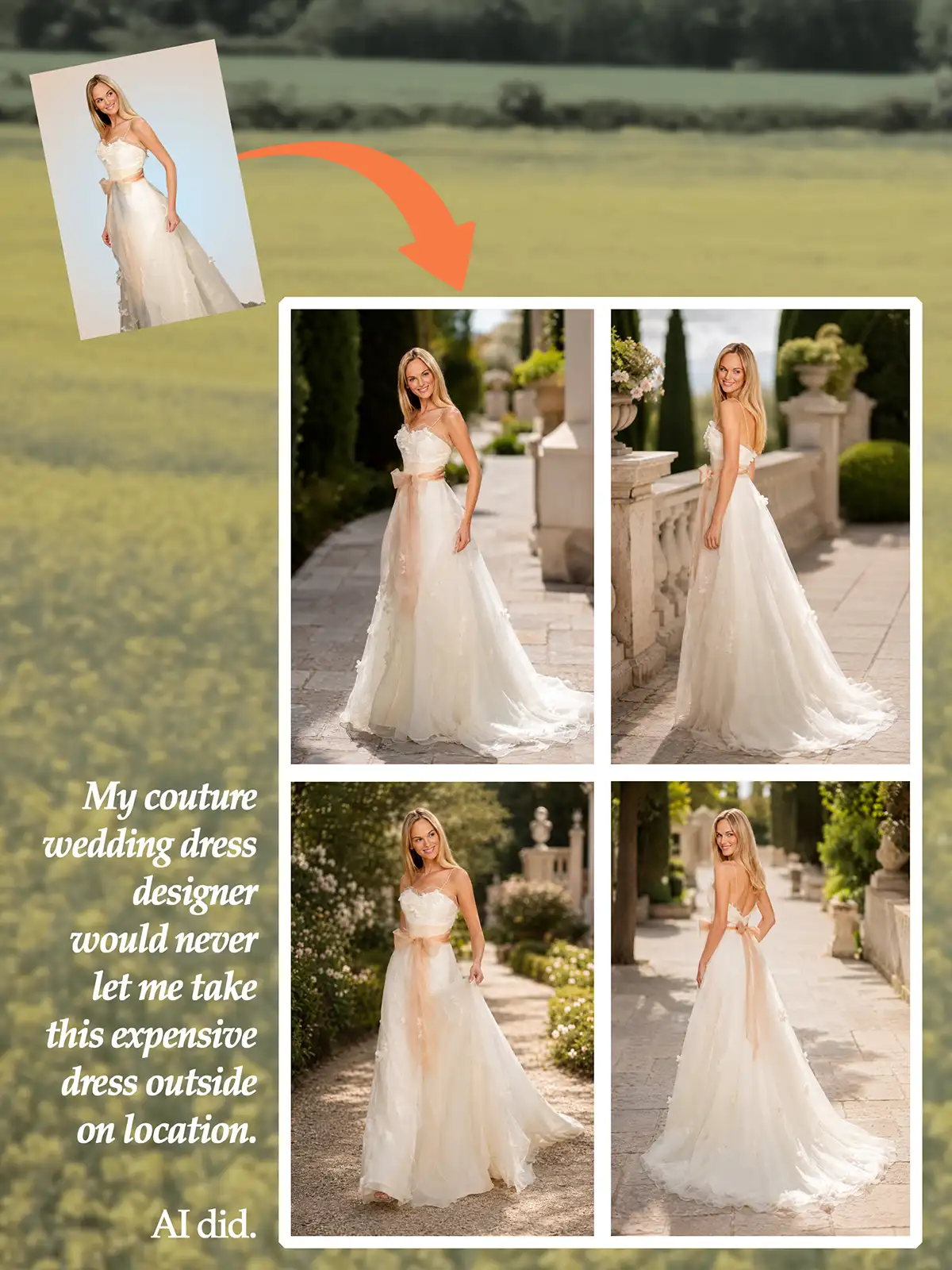
AI can help push an idea further by producing several variations. You may find a concept that’s more elegant, surreal, cinematic, minimalist, humorous, luxurious, or conceptual. It expands your imagination! And it makes your work more enjoyable. (See the on-location variations on an in-studio wedding dress shot at the end of this article.)
Background and Set Ideas
I confess that I often generate AI backgrounds after I edit the final image. But it’s usually smarter to do the background before shooting the final image. You get a better fit.
I do that with purchased backgrounds, and I now do it with the background images generated with AI. So I go into the shoot, with the background I will be using already developed. This is useful for inspiration during the shoot. And for final hybrid image creation, you will have better matching between subject and background.
Client Communication
It sometimes happens that clients don’t appreciate the approach you took in the shoot. Then you have to try to sell them on it when it’s already done and too late to change.
But if you had some visuals to show the client before the shoot…
Storyboarding Ad Campaigns or a Photo Series
Sometimes the images don’t hang together as cohesively as we imagined. There have been times I considered reshooting some of them for a better fit. Now you can use AI to make sure the independent images come together as intended.
For a video campaign, this is even more important. I created and produced many TV spots for financial services and cell phones. We did some of these without good storyboards. This makes it harder for the client to approve the ideas and for production people to understand what you’re looking for.
Coming up with a Plan for the Shoot
When you can look at the pre-visualized images, it’s easier to write up a plan for what’s needed. This includes: Props, equipment, styling, models, wardrobe, accessories, etc.
Get Ideas for a Musical Score
Since my beginning days, when shooting people, I’ve used music to keep all of us in the exact mood I chose for the shoot.
I’m NOT talking about background music. I’m talking about music that is an integral part of the shoot and has been planned and coordinated for that particular shoot. I would coordinate my custom playlist to matchmthe mood needed for each segment of the session. Many times there’s a progression of moods and intensity, and the music would match that.
When this works well, everyone in the studio would be infused with the mood I chose for the session. It works not only for fashion and beauty, but also for most portrait sessions. The results are fantastic. And you can use AI to help generate the right playlist.
After the Shoot
Finishing the Selected Images with Retouching and Compositing
AI systems, like Midjourney and Nano Banana can retouch your images in whole or in part. ChatGPT Images 2.0 is now doing a superior job. These tools also provide images that can be composited in Photoshop with the images from your shoot. The main use for this will be to provide different backgrounds, e.g. turning a studio shot into a location shot or vice versa.
The savings in time and expenses can be massive. And it opens a new world of creative possibilities.
Postproduction Development
Even with the hand retouching and compositing I do, it would be useful to have some variations to consider. Many times I’ve found myself doing something to the image and then not liking the idea once it’s done.
That was a big was a waste of time. It would be better to have ideas to consider before making that investment.
Summary: Using AI as a Creative Partner
Most users of AI use it as an answer engine. Ask a question, get an answer. Few people make it a partner in their work.
For this you need to turn it into a sparring partner that will challenge your ideas, like a real partner would do. Get it to question your assumptions and to provide greater depth to make your images more powerful.
You can even feed images into some AI models and ask it to evaluate the image, write new prompts for creative alternatives, etc.
Key Point: The taste and judgment needed will come from you, but you’ll have more creative options to develop. The collaboration is with the thinking as well as with the actual image making. This could be a great antidote to the artistic stagnation we all fight.
There have been successful creative teams in photography. In some cases, two photographers with very different styles, get together to collaborate on work that is completely new for each of them. The team takes on its own identity.
This isn’t possible for most of us, but we can start immediately forging a partnership with an AI model you are familiar with.